
Instagram Lite was introduced on Google’s Play Store in December 2020. Reels, on the other hand, were introduced way earlier, back in August.
It seems logical that the feature would be present in the app then, and that is why many users want to know if they can create Reels in Instagram Lite.
Reels are gaining more and more popularity day by day. It is natural for Instagram users to expect this feature to be fully supported on as many applications as possible.
We will talk about all the possibilities and how to create Reels in Instagram Lite if possible in this article.
What is Instagram Lite? How good is it?
Let us talk about what Instagram Lite is for those people who are not aware of it. Instagram Lite is a light version of the original Instagram app. Remember how the original Instagram app took 100 Mb of storage space after installation?
Furthermore, it also held a lot of cache and data, making the phone slow and consuming battery power.
Instagram Lite fixed most of these issues by reducing the app size to just 1.3 Mb. While it still stores cache and data, it stores it in a less aggressive way, taking less space on the phone storage.
It is also fast, lightweight, and easier to use on old phones which cannot support the extensive functionality of Instagram.
However, we all know that everything comes with a price. The reduction in the size of Instagram manifolds means we would need to sacrifice some features.
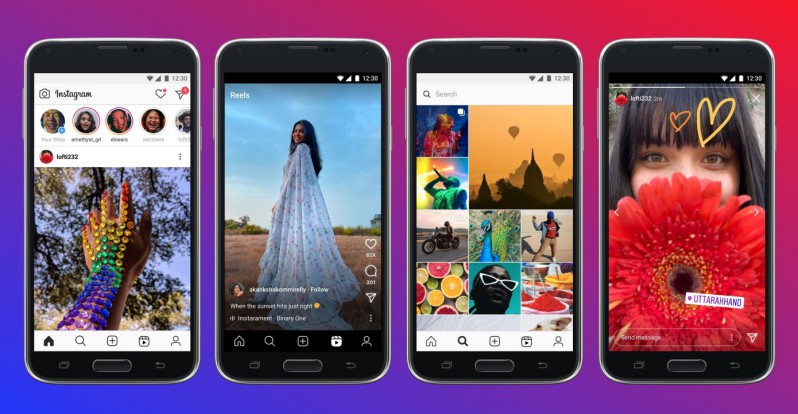
The most basic features are available of course, but the first time you use Instagram Lite you’ll notice some outright.
The app would feel less smooth and more ‘direct’. This is because they removed transition animations. This helps the app in staying fast, but the lack of smooth animations would disturb you for a while if you have been using Instagram for some time.
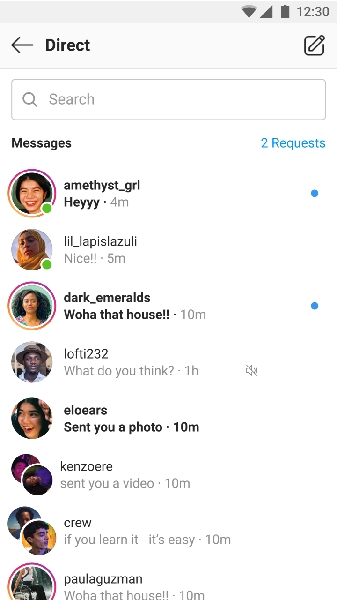
Another thing that was removed in Instagram Lite was the different reaction option provided by Instagram when reacting to Direct Messages. Now you can only double tap to react hearts to the message, just like old times. The theme and color feature for chats is also not available.
However, all these are features we might not mind losing compared to the benefits. But there are some lacking features and issues that are more important to discuss. You can modify the posts and stories to a very limited extent before posting.
This is unlike Instagram where we could edit our posts as much as we wanted. In Instagram Lite we have less control over the placement of images and videos. This issue often crops out in the stories.
The option to add texts to stories is also limited to just one now. I had a lot of trouble when I first discovered I could only add a set of text-only once as I was used to adding multiple texts in the original Instagram app.
The Lite app also provides lower-quality images and videos when browsing or posting your own media.
So to sum it up, these are some of the lacking Features in Instagram Lite. But if you’re one of the people who always face storage issues with their phones, it might be worth the sacrifice.
You can always switch to Instagram in case it doesn’t work for you after all!
Can we create Reels in Instagram Lite?
So let us now talk about whether Instagram Lite supports creating Reels.
Short answer: No, Instagram Lite does not support any way to create Reels. You will have to use the full version of Instagram to create reels.
This is weird and a little bit disappointing considering Reels came out before the Lite app and that it has gained a lot of popularity. But Instagram did not completely ignore this either.
Instagram Lite got a Reels section, so you can watch Reels from all over Instagram. It’s just that the concept of making a Reel is a bit too complex for the Lite app to manage. And it is pretty understandable, considering its tiny size.
Creating Reels requires a lot of editing features. It includes the addition of text, high-resolution capture of videos, stickers, and multiple crop and trim options.
I believe you do understand now why this is an overwhelming thing for the Lite app to achieve.
So with all this talk now we know the Lite app cannot support the creation of Reels. Now let us focus on how to create Reels on the Instagram app.