
YouTube Vanced is the mod version of the original YouTube app. The biggest reason that can urge you to switch over to YouTube Vanced is ads. Yes, you get no ads in this app. No in video ads, no recommendations, no banners, and not even the name of anything that you do not want to see on your feed. But, there is more to it. First of all, anyone can assure that it is safe and legal to download. Also, you can play in the background, remove the recommendations, swipe to control volume and brightness, switch back to the older versions, and a lot more.
Let alone no ads thing is enough for most of the users. For those who are looking for extra, you can also get the same perks on YouTube Music. Frankly speaking, the regular version of YouTube Music is useless. It plays the video of the song instead of audio. In that case, why are you calling it a music service? Well, that is a separate topic to discuss, back to the YouTube Vanced. As with every other app, this may also not work in some scenarios. So, here is how to fix that.
How to Fix YouTube Vanced Apk not working:
The issue is to get the latest APK. Some may not get the essence of Vanced Manager and MicroG. Now, you will.
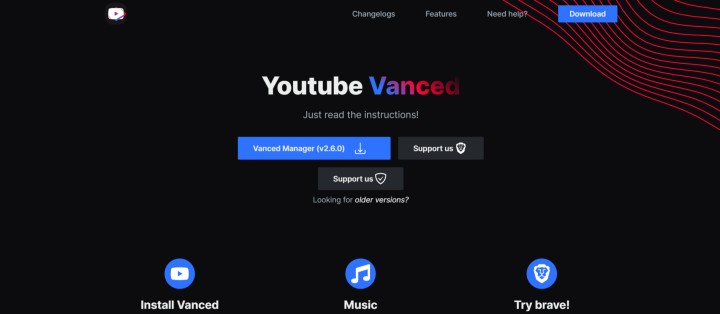
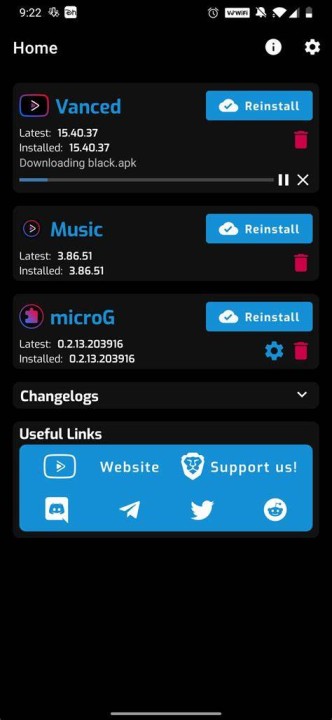
- Firstly, you need to visit this website and click on download the Vanced Manager. Before that, make sure to uninstall the previous version. Now, install and open the Vanced Manager app.
- Click on non-root, tick the YouTube and Music app, and you will land on the home screen.
- First of all, download and install the MicroG app.